CUBEZ
A downloadable word game for Windows
How it plays
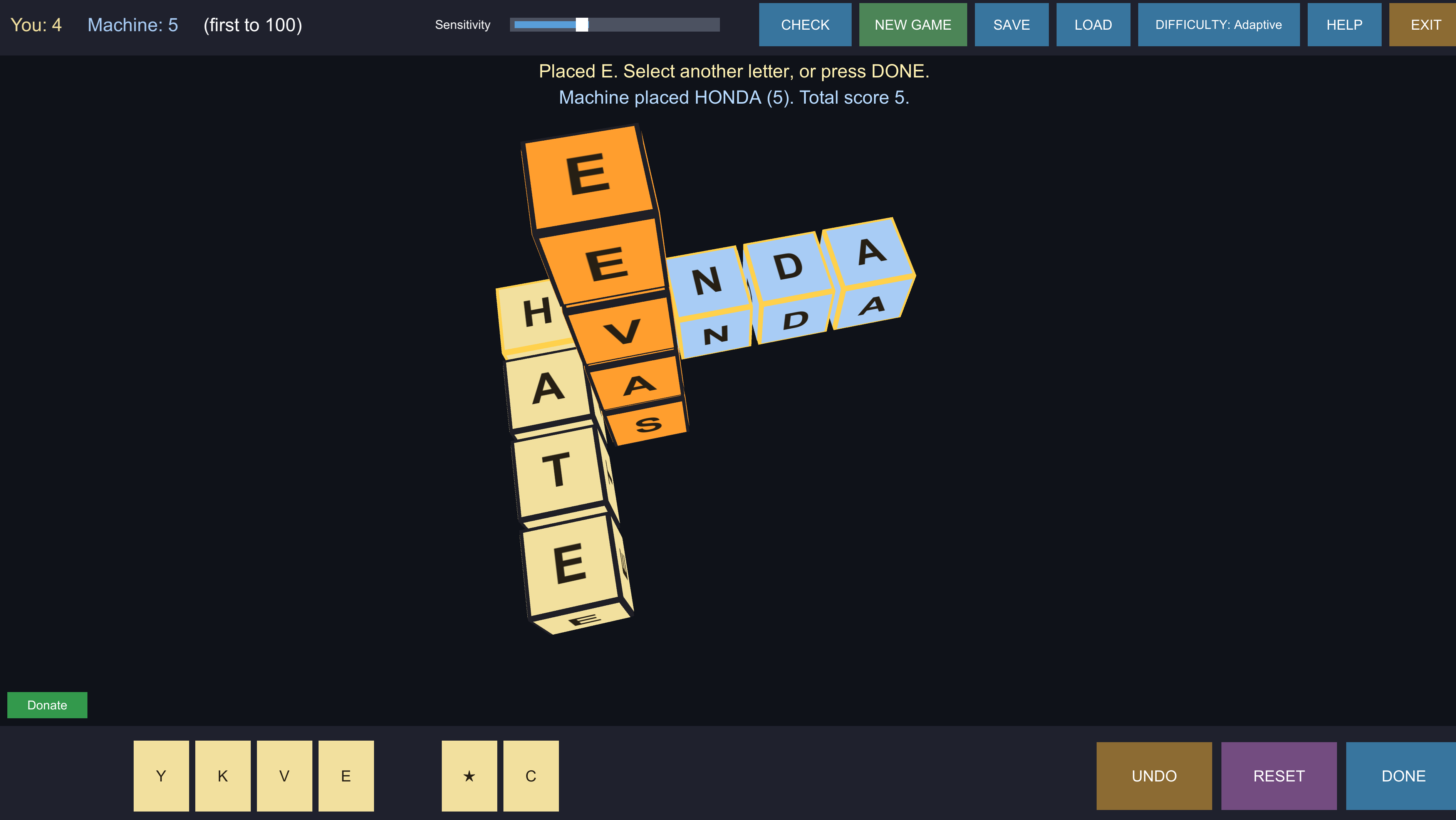
Every cube carries a letter. You hold a tray of ten along the bottom of the screen, refilled as you spend them, and you build straight lines through the play space — left–right, up–down, or front–back.
Every direction has to work. Every word your move creates must be real, not only the line you meant to build. If your new cubes sit alongside existing ones and spell something invalid in a crossing direction, the move is rejected and your cubes come back — so there is no cost to trying.
First to 100 points wins. Scoring is one point per letter, whether you placed the cube this turn or it was already on the board. A word that also reads validly backwards — PART and TRAP, or a palindrome like LEVEL — earns two bonus points. One move often makes several words at once, and each is scored.
The wildcard is marked with a ★ in your tray and can stand for any letter. Place it and a picker asks which letter it represents; that choice is recorded when the move commits and holds for the rest of the game. A wildcard scores like any other cube.
Stuck with unusable letters? RESET throws your tray away and deals a fresh set, at the cost of your turn.
The machine adapts to you. The default difficulty, Adaptive, does not cap the machine's vocabulary — that turns out not to make it play worse. Instead it caps how much the machine will score per move, based on who is ahead: when it leads it plays smaller words, or passes rather than run away with the game; when it trails it plays at full strength. Its estimate of your skill carries across games and drifts toward an even match.
Four fixed levels sit behind it — Easy, Medium, Hard and Nightmare — if you would rather the machine simply played its game and let you keep up.
Download
Install instructions
Windows will warn you about this download
CUBEZ is not code-signed — certificates cost several hundred dollars a year, which is difficult to justify for a free game. Windows SmartScreen will show "Windows protected your PC" when you run the installer. Click More info, then Run anyway.
This warning means Microsoft has not seen the file often enough to have formed an opinion of it. It is not a virus report. Every release lists a SHA-256 checksum you can compare against Get-FileHash in PowerShell.
If Windows refuses outright, with no "Run anyway" option, you have Smart App Control switched on. That is stricter than SmartScreen and blocks unsigned software rather than warning about it, with no per-application exception. The portable zip sometimes passes where the installer does not.
Leave a comment
Log in with itch.io to leave a comment.